Organize research and reading with a cited AI tutor
Drop papers, articles, and notes into a module. Ask questions and get answers cited to the source.
Start freeResearch is a knowledge management problem. Learnd AI turns a folder of papers, articles, and notes into an organized module with a cited AI tutor on top. Ask conceptual questions across the whole reading list and get answers grounded in the specific paper, page, or section.
Within the AI study platform you can keep research sources, notes, summaries, and study practice connected in one workspace.
A module per topic, project, or thesis chapter
Create one module per research area. Add papers, articles, web pages, and your own notes. The AI tutor searches across the whole module when you ask a question and cites the source it pulled the answer from.
Summaries and concept explainers without losing the trail
Generate a summary of a single paper or a concept explainer that pulls together multiple sources. Every output cites the underlying material so you can verify and follow up.
Move from reading to writing with the source in reach
Take notes in the same module as your reading. When you draft a paragraph, ask the AI tutor whether a claim is supported by the underlying sources before you commit it.
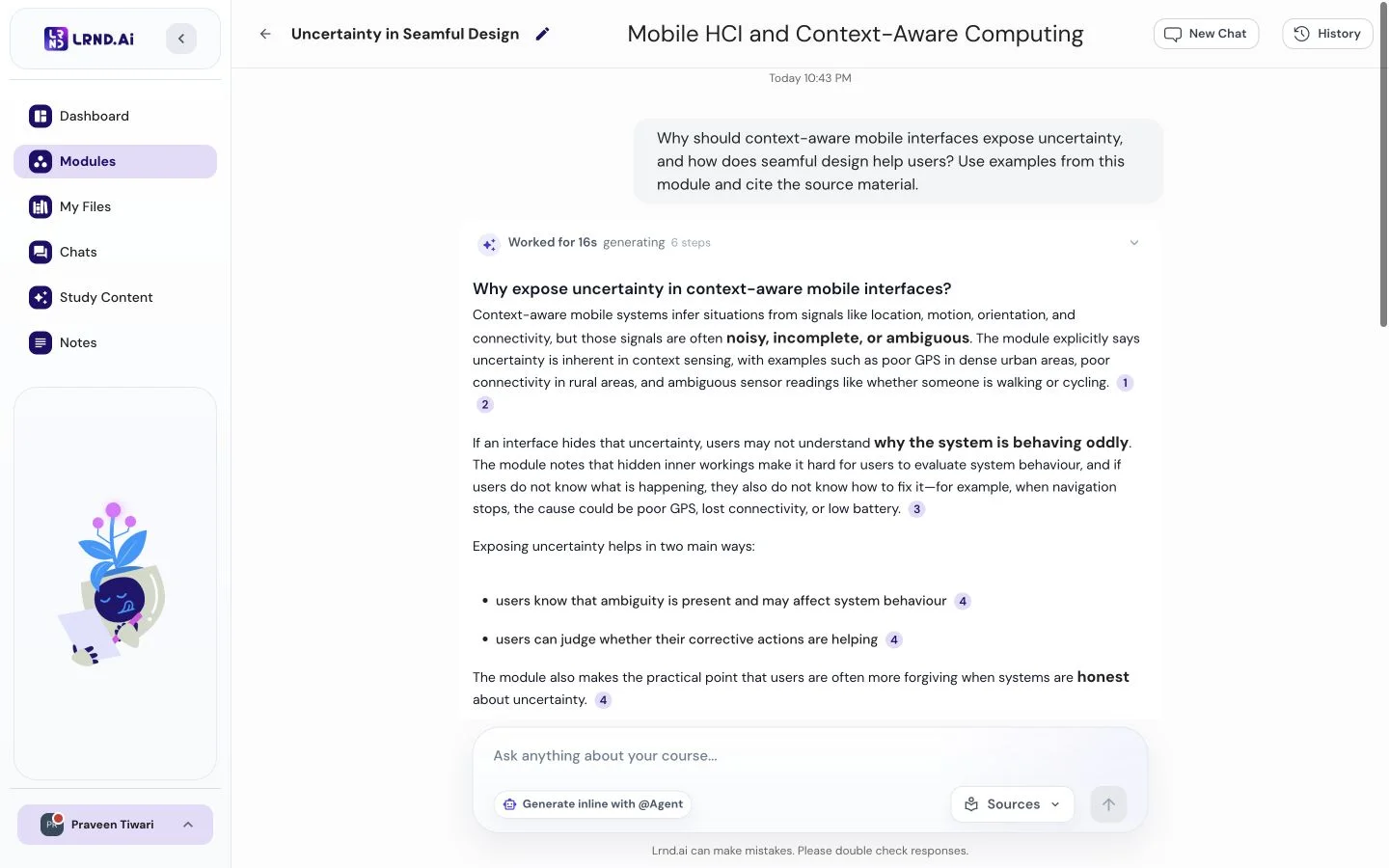
Every answer, cited.
Ask anything about your lectures, PDFs, and recordings. Learnd AI shows you the exact page or timestamp behind every answer — so you can always check.
Only from your materials
Exact page or timestamp
Always verifiable
Answers start instantly
The retention loop
Capture, organize, understand, remember, retrieve — the five stages every study workflow needs.
Stage 01
Capture
Upload PDFs, slides, lectures, recordings, notes, and YouTube links.
Stage 02
Organize
Learnd AI structures every source into a module you can search across.
Stage 03
Understand
Ask the AI tutor — every answer is cited to a page or timestamp.
Stage 04
Remember
Flashcards, quizzes, and mock exams reinforce material with active recall.
Stage 05
Retrieve
Pull any concept back out of your module weeks or months later.
Loop, not a funnel
every retrieval feeds the next capture.
From scattered materials to structured learning.
01
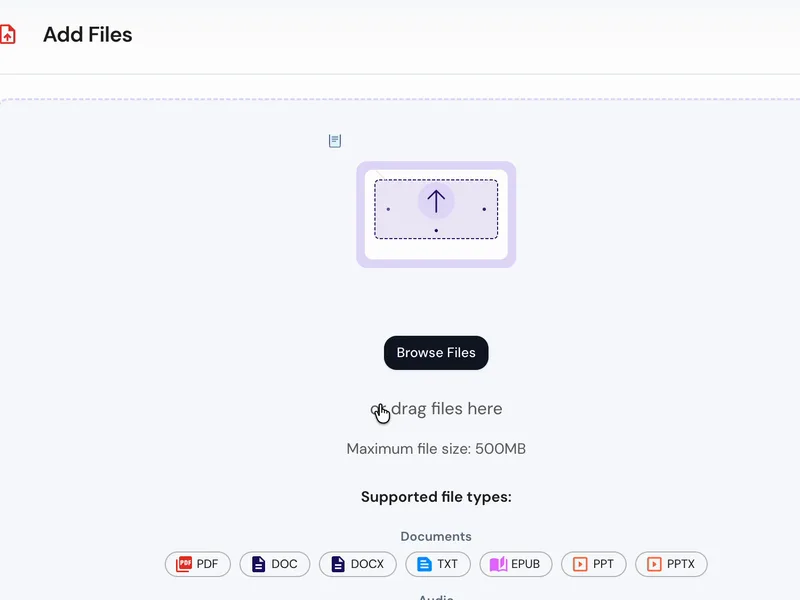
Add your materials
Upload PDFs, paste YouTube links, record audio, drop in notes — any format you already use.
02
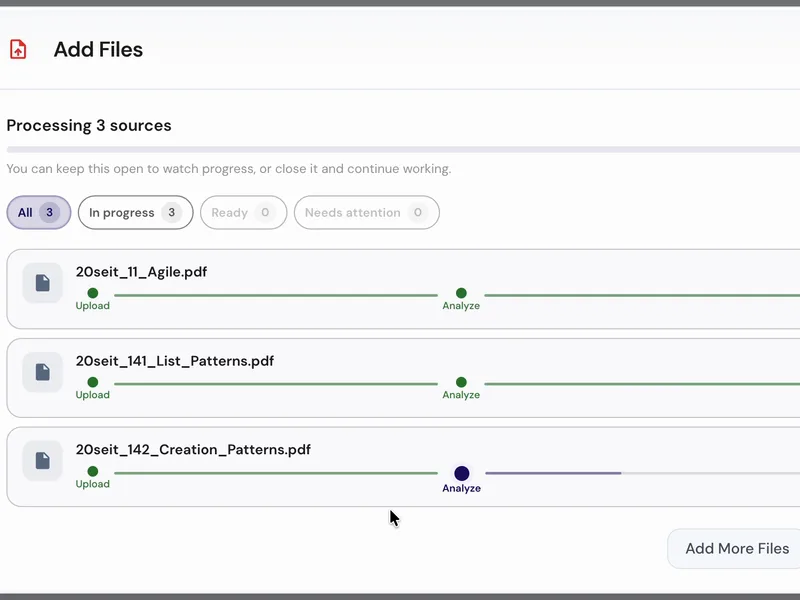
Learnd AI organises everything
In under a minute, Learnd AI reads everything and makes it searchable, citable, and study-ready.
03
Chat, generate, and study
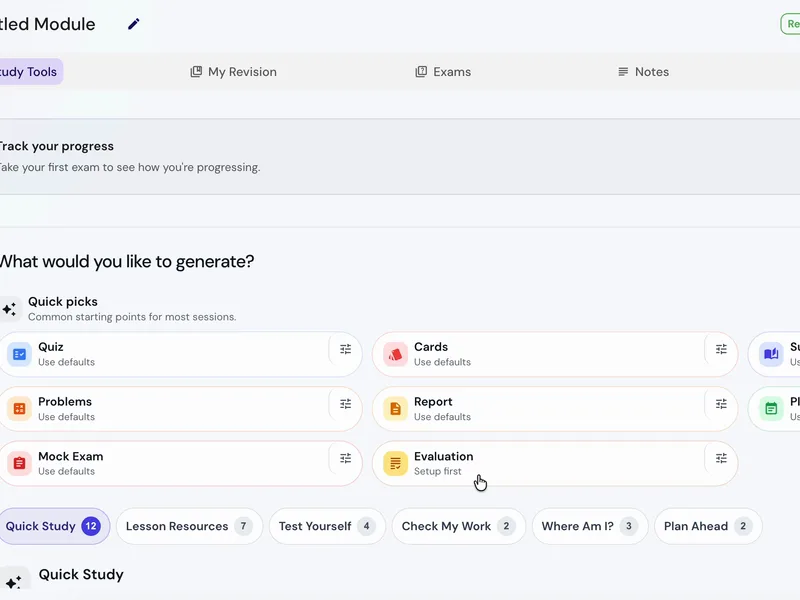
Ask your AI tutor questions, generate flashcards, quizzes, mock exams, mind maps, study plans, and more — all in one place.
Generate the study assets you wish you already had.
Most AI tools stop at chat, flashcards, and quizzes. Learnd AI generates 30+ — built entirely from the notes and lectures you already have.
Card 1 of 24
FRONT
What is photosynthesis?
BACK
The process by which plants convert light energy into chemical energy (glucose) using CO₂ and H₂O, occurring in the chloroplasts.
How Learnd AI stays trustworthy
Built to be checked, not just trusted
Answers cite your sources
Every tutor response links back to the exact lecture, PDF, or note it came from, so you can verify before you commit it to memory.
One workspace, many modules
Notes, flashcards, mock exams, mind maps, and summaries all build off the same uploads — no copy-pasting between tools.
Retrieval-grounded, not guesswork
Generation runs over the material you actually uploaded, not the open web. That keeps the output on-syllabus and reduces hallucination risk.
Your uploads stay yours
We don't train AI models on your study material. Files are stored to power your workspace and can be deleted any time.
Frequently asked questions
Yes. Each module is its own workspace; use one per project or topic.
Your next exam doesn't have to be stressful.
Upload your first materials and see for yourself. Free during beta, no card required.
Start studying free